Last edited: January 06, 2025

Role
Design, Reaserch, Handoff
Team




Time period
2023
Context
The Worksection Kanban board is a key tool for project management. It helps visualize work stages, and dragging task cards between status columns makes the process intuitive.
At the beginning of 2023, we launched a large-scale product redesign. We created a new design system, updated key sections of Worksection, and improved navigation. And finally, it was time to redesign the Kanban board.

How old live version looks like…
Problems
The old Kanban had been in use since 2016 and by 2023 felt outdated. I received a table from the Support and Customer Success teams with client feedback on Kanban and summarized the key issues:
Outdated visual design. Kanban in Worksection has always been a simple and fast tool, but its old design no longer matched the product's new style.
Lack of scalability. The old UI didn’t allow for expanding Kanban’s functionality. We plan to add more customization options, automation, and new filters.
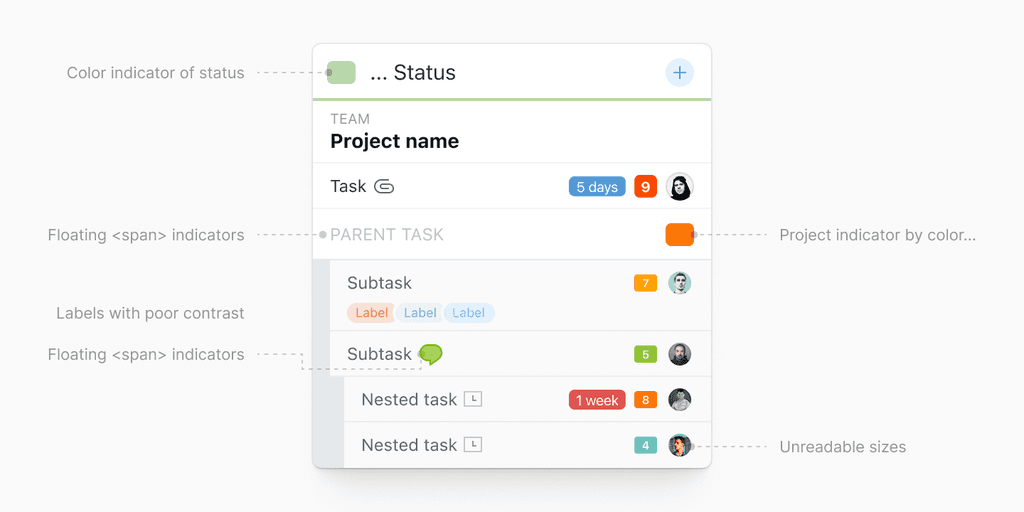
Yep, this makes me feel pain long time
Hierarchy issues. When tasks had subtasks, they were difficult to locate visually. In complex project structures, viewing Kanban became inconvenient.
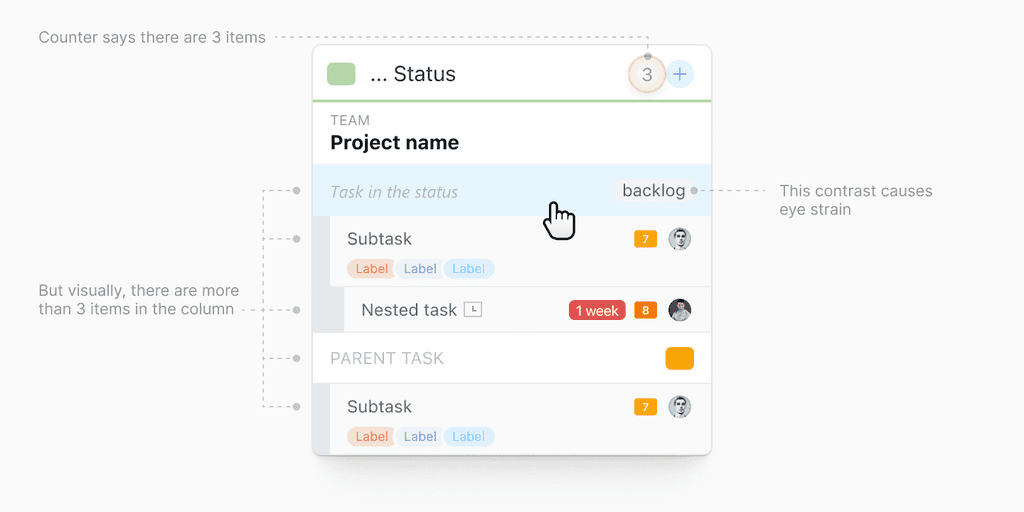
More problems appearce in details
Floating indicators. Most indicators appeared as small text elements after the task name. Users had to search for them manually, for example, to find a new comment.
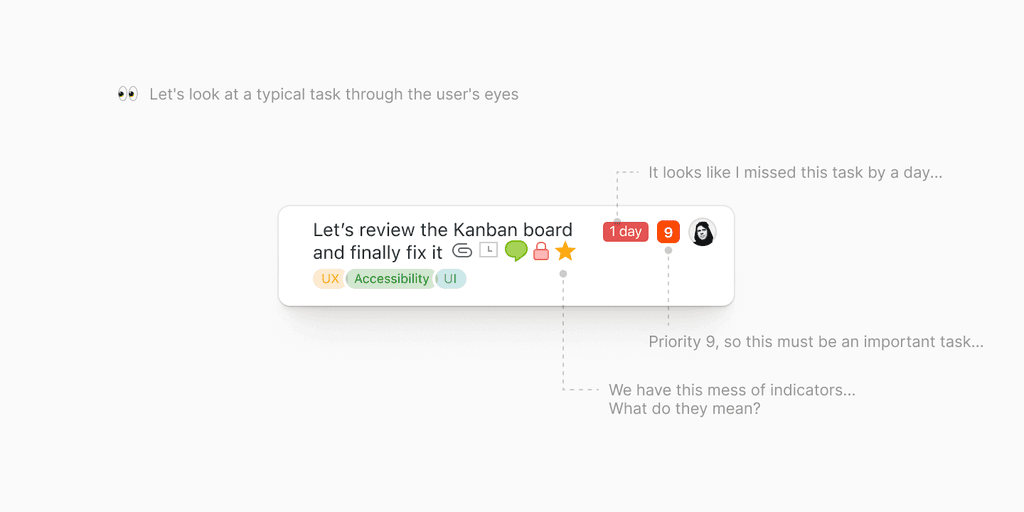
More problems appearce in details
Outdated status module. We updated the visual design, status setup, and status sets across the entire account.
Inconvenient layout. Status columns were too wide, making it difficult to work on laptops.
Role and Process
The redesign and implementation were done by three people: me as the lead designer, a developer, and "Zavgosp" (that’s what we call our co-owner, haha).
I started directly with the final mockup—wireframing would have taken too long, and we needed quick live testing. After that, I handed over the mockups to the developer.
To ensure clarity, I created tasks in Worksection, described all patterns and flows. Then came the iterations: development, live adjustments, more development — Double Diamond in all its glory.
Visualization of the design and implementation process. A simple diagram could be used here...
I didn’t follow a strict methodology during the research phase. Instead, I iterated daily, creating several screen patterns and testing them with simple prototypes.